Keyboard shortcuts
Press ? in the app to see the shortcuts overlay. Full list:
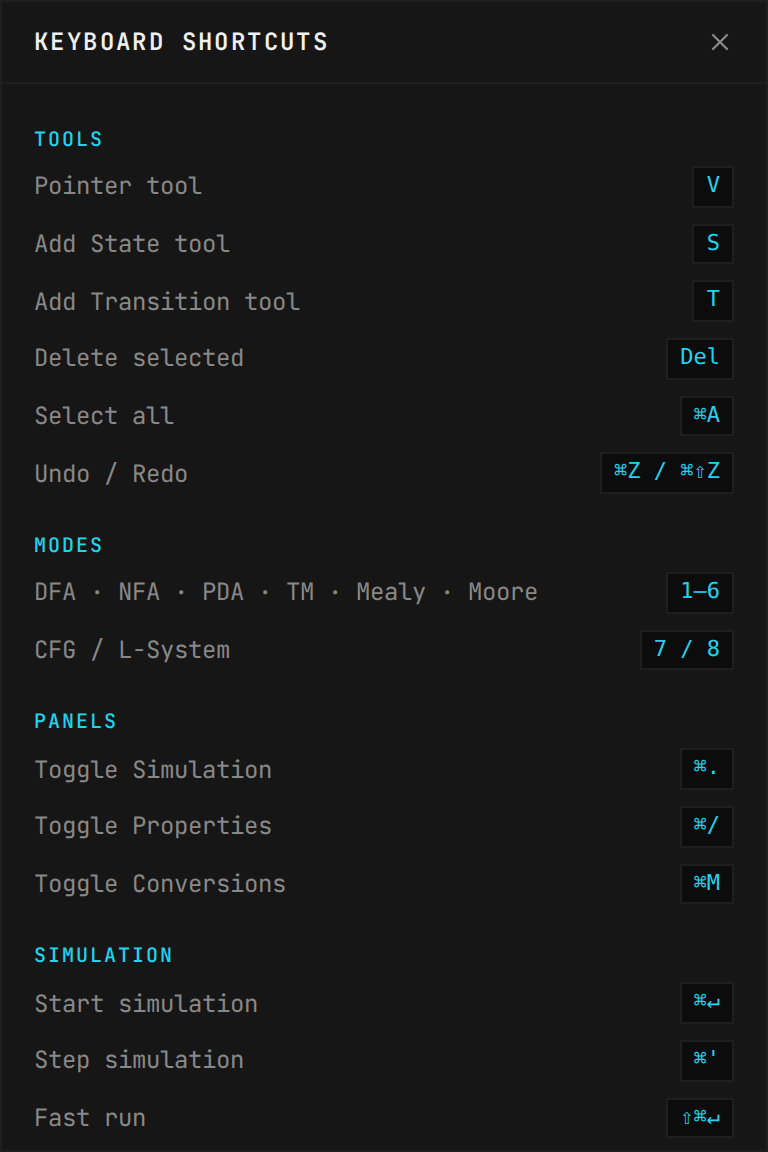
CLICK TO EXPAND
General
| Shortcut | Action |
|---|
| ⌘K | Command palette |
Tools
| Shortcut | Action |
|---|
| V | Pointer tool |
| S | Add State tool |
| T | Add Transition tool |
| Del / Backspace | Delete selected |
| ⌘A | Select all |
| ⌘Z | Undo |
| ⌘⇧Z | Redo |
Modes
| Shortcut | Action |
|---|
| 1 | DFA |
| 2 | NFA |
| 3 | PDA |
| 4 | Turing Machine |
| 5 | Mealy Machine |
| 6 | Moore Machine |
| 7 | CFG (Grammar Editor) |
| 8 | L-System |
Panels
| Shortcut | Action |
|---|
| ⌘. | Toggle Simulation panel |
| ⌘/ | Toggle Properties sidebar |
| ⌘M | Toggle Conversions panel |
Simulation
| Shortcut | Action |
|---|
| ⌘ Enter | Start simulation |
| ⌘ ' | Step simulation |
| ⇧⌘ Enter | Fast run |
| ⌘0 | Reset simulation |
File
| Shortcut | Action |
|---|
| ⌘S | Share / Copy URL |
| ⌘E | Export JSON |
| ⌘O | Import file |
PNG, SVG, and LaTeX exports are available from the command palette (⌘K) or the toolbar export menu.
Canvas
| Shortcut | Action |
|---|
| Space + Drag | Pan |
| Scroll | Zoom |
| Shift + Click | Multi-select |
| Double-click | Add state / Edit label |
| Right-click | Context menu |
| ⌘1 | Zoom to Fit |
| ⇧⌘L | Auto Layout |
| ⇧⌘X | Clear All |
| ⇧⌘Q | Add Trap State |
| Esc | Deselect / Close |
| ? | Show shortcuts overlay |