L-systems
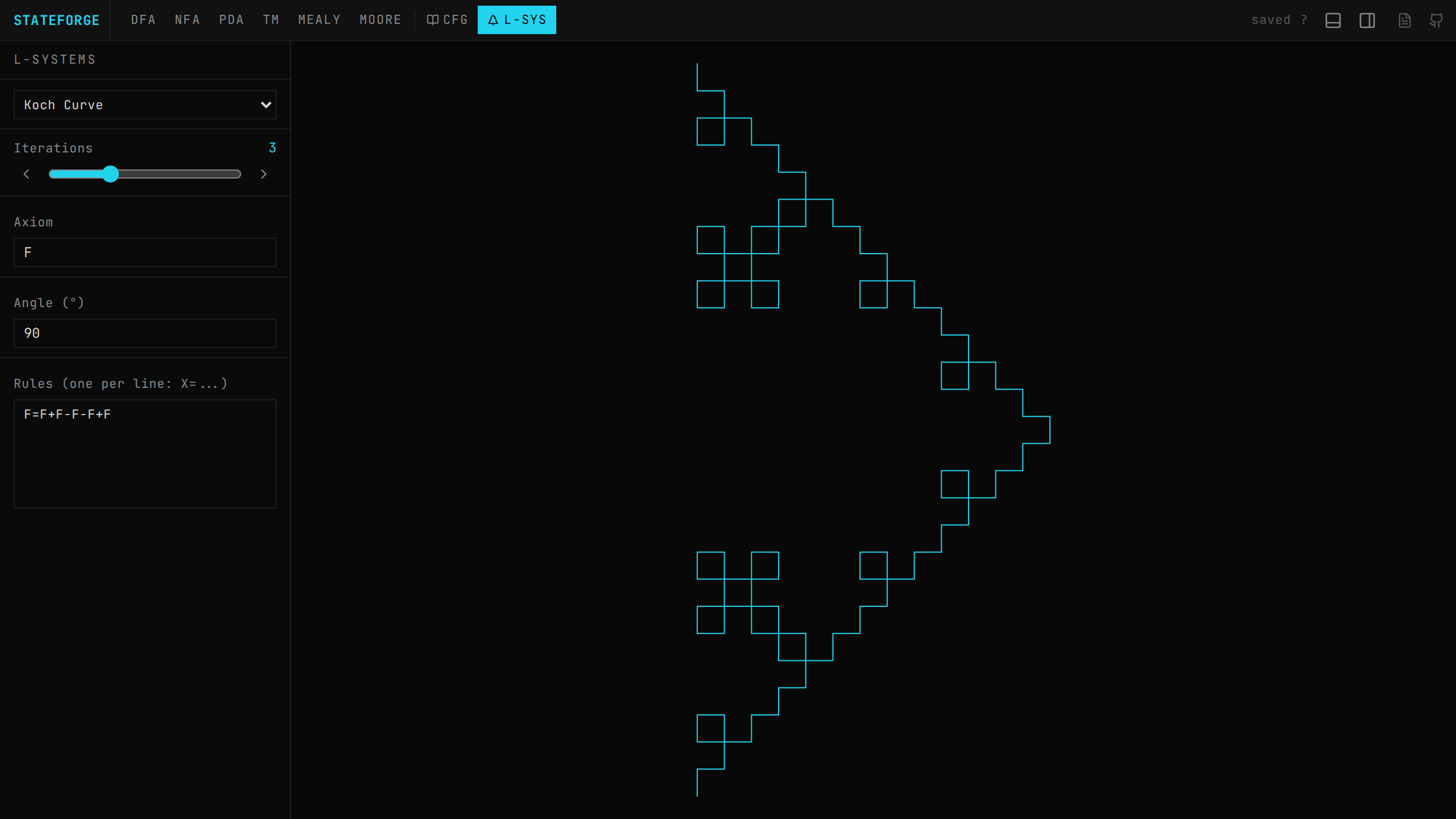
Press 8 or click L-SYS in the toolbar. The L-system view shows controls on the left (264px on desktop, 35% on mobile) and a real-time turtle graphics canvas on the right, rendered using HTML Canvas 2D with device pixel ratio scaling.
How L-systems work
An L-system (Lindenmayer system) defines a string rewriting system:
- →Start with an axiom (initial string)
- →Apply production rules simultaneously to every character in the string
- →Repeat for the specified number of iterations
- →Interpret the final string as turtle graphics drawing commands
Turtle graphics commands
| Command | Action |
|---|---|
F, G | Draw forward one unit (also 1, 6, 7, 8, 9 for Penrose tiling) |
f | Move forward without drawing (pen up) |
+ | Turn right by the specified angle |
- | Turn left by the specified angle |
[ | Push current position and direction onto stack (save state) |
] | Pop position and direction from stack (restore state) |
The turtle starts at (0, 0) pointing upward (−π/2 radians). The drawing is automatically scaled and centered to fit the canvas with 20px padding.
Built-in presets
| Preset | Axiom | Angle | Iterations | Rules |
|---|---|---|---|---|
| Koch Curve | F | 90° | 3 | F=F+F-F-F+F |
| Sierpinski Triangle | F-G-G | 120° | 4 | F=F-G+F+G-F, G=GG |
| Dragon Curve | FX | 90° | 10 | X=X+YF+, Y=-FX-Y |
| Plant | X | 25° | 5 | X=F+[[X]-X]-F[-FX]+X, F=FF |
| Hilbert Curve | A | 90° | 4 | A=-BF+AFA+FB-, B=+AF-BFB-FA+ |
| Penrose Tiling (P3) | [7]++[7]++[7]++[7]++[7] | 36° | 4 | 4 rules for digits 6-9 |
Custom rules
→ Set the axiom (starting string) in the Axiom field
→ Set the angle in degrees (used by + and - commands)
→ Define rules one per line in X=replacement format (e.g., F=F+F-F-F+F)
→ Adjust iterations with the slider (0–10) or ◀/▶ buttons
→ Safety limit: String generation is capped at 500,000 characters to prevent browser freeze
→ The rendering updates in real-time as you change any parameter
→ Characters without rules are passed through unchanged (useful for structural symbols like X, Y)